AI Assistant
By InvoiceShelf
In-app AI chat, read-only business insights and optional writing help using your own OpenRouter key.
Compatibility: InvoiceShelf >=3.0.0-alpha.2 <4.0.0
About this module
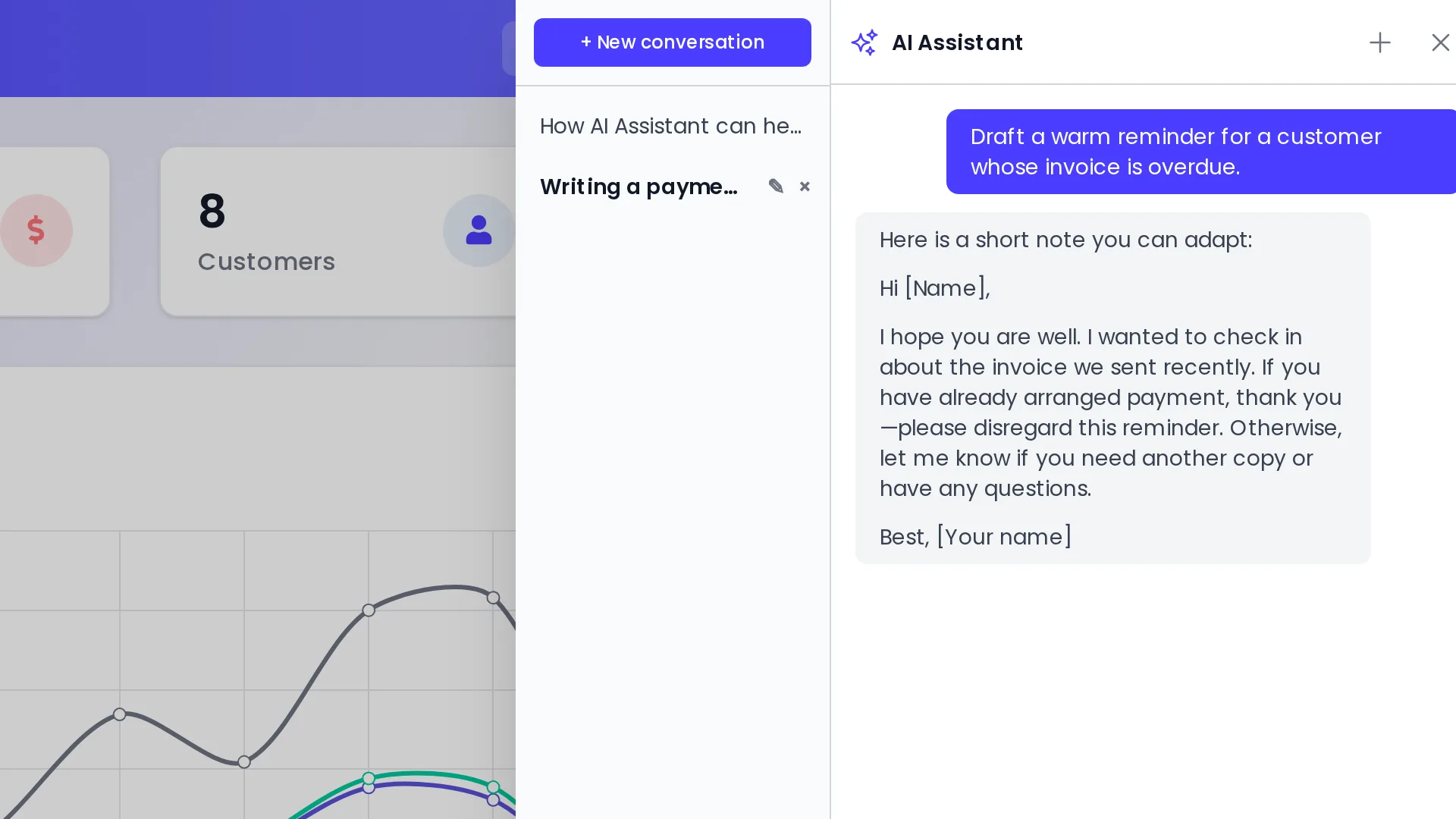
AI Assistant adds a conversation drawer to InvoiceShelf and optional writing help in rich-text editors. An administrator configures an OpenRouter API key and chooses which models and capabilities to enable. InvoiceShelf does not provide AI credits; your OpenRouter account pays for provider usage.
The assistant can answer questions about the active company using permission-aware, read-only tools. It cannot change invoices, customers, payments, expenses or other business records. Global settings can apply to every company, or a company owner can configure a separate provider setup. API keys are encrypted at rest.
When a user sends a prompt, that prompt and any business data the selected model requests are sent to OpenRouter and the chosen model provider. Review their data practices before enabling the module.
What you get
- AI chat inside InvoiceShelf company pages
- Permission-aware, read-only business insights
- Optional writing assistance in rich-text editors
- Global or company-specific provider settings
- Encrypted API keys and separate capability controls
See it in action
Frequently asked questions
Do I need an AI provider account?
Yes. An administrator supplies an OpenRouter API key and covers provider usage. InvoiceShelf does not include AI credits.
Can the assistant change business records?
No. Its business-data tools are read-only and respect the active company and user permissions.
Install on your own instance
Choose Install module, enter your InvoiceShelf URL, and confirm the installation in your own admin.