E-Invoicing
By InvoiceShelf
EN 16931 e-invoices: invoice PDFs become ZUGFeRD / Factur-X hybrid e-invoices, with the XML available on its own.
Compatibility: InvoiceShelf >=3.0.0-alpha.13 <4.0.0
About this module
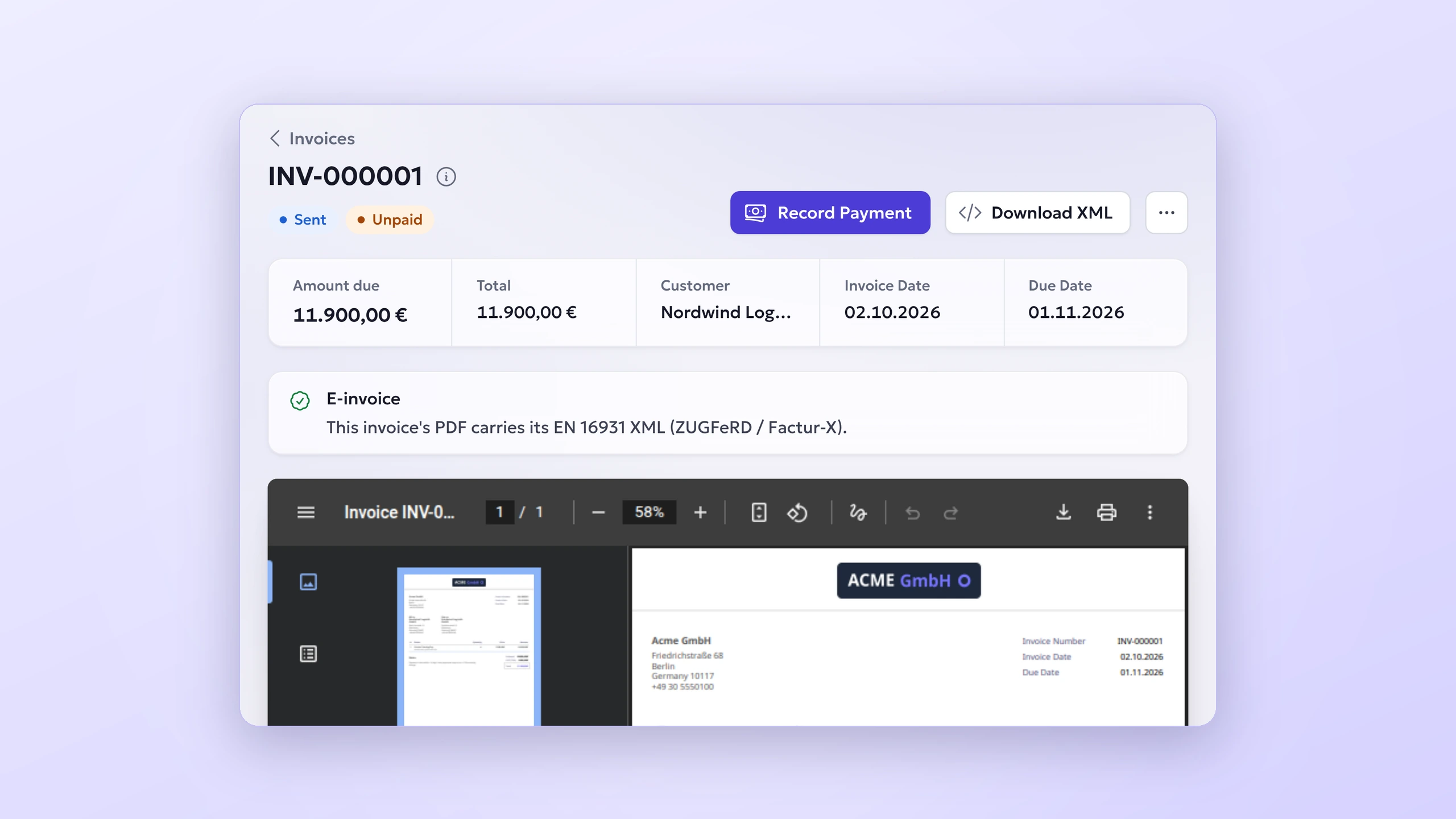
E-Invoicing turns InvoiceShelf invoices into EN 16931 e-invoices. With it switched on, an invoice PDF becomes a ZUGFeRD / Factur-X hybrid: a PDF/A-3b document people read as usual, carrying the structured XML that accounting software reads as factur-x.xml.
The XML follows the EN 16931 profile, which German businesses accept as an e-invoice and which is one of the formats France's e-invoicing reform allows. The same XML can be downloaded on its own from every invoice.
Settings live under Company Settings, E-Invoicing: switch it on, give the IBAN and BIC the e-invoice asks to be paid to, and payment terms. A checklist shows what the company details still lack, such as a VAT ID or a postal address.
Every invoice shows a panel that says whether its PDF carries the XML and, if not, exactly what is missing. Tax types carry their EN 16931 category (standard, zero rated, exempt with a reason, export, reverse charge and intra-community supply) and units their UN/ECE code, both set in InvoiceShelf itself. Credit notes are written as credit notes that name the invoice they correct.
Every way an invoice leaves InvoiceShelf carries the same file: download, public link, customer portal, email attachment and the PDF archive. Nothing gets in the way of billing: an invoice that does not meet the requirements, or a PDF service that cannot embed the XML, gets the ordinary PDF.
The module creates and embeds the e-invoice; it does not send it anywhere. Embedding needs InvoiceShelf's Gotenberg PDF driver with Gotenberg 8.34 or newer (the full image, with LibreOffice). Downloading the XML works with any PDF driver.
Built on work by André Kinne and iebl. Requires InvoiceShelf 3.0.0-alpha.13 or newer. Free and licensed AGPL-3.0-only.
What you get
- ZUGFeRD / Factur-X hybrid PDFs (PDF/A-3b) with EN 16931 XML
- Download the XML from any invoice
- A checklist for company details, IBAN and payment terms
- Each invoice says whether it is an e-invoice, or what is missing
- EN 16931 tax categories and unit codes on tax types and units
- Invoices that do not qualify still go out as ordinary PDFs
See it in action
Install on your own instance
Choose Install module, enter your InvoiceShelf URL, and confirm the installation in your own admin.