Tasks and Projects
By InvoiceShelf
Projects, tasks, Kanban board, time tracking and task-to-invoice billing.
Compatibility: InvoiceShelf >=3.0.0-alpha.2 <4.0.0
About this module
Tasks and Projects adds project and task management with time tracking to InvoiceShelf, built around one idea borrowed from Invoice Ninja: you invoice the work, not a customer form.
Projects carry a customer, a colour, a status, a default hourly rate, a budget and a due date. A project without a customer is internal and never reaches the billing screens.
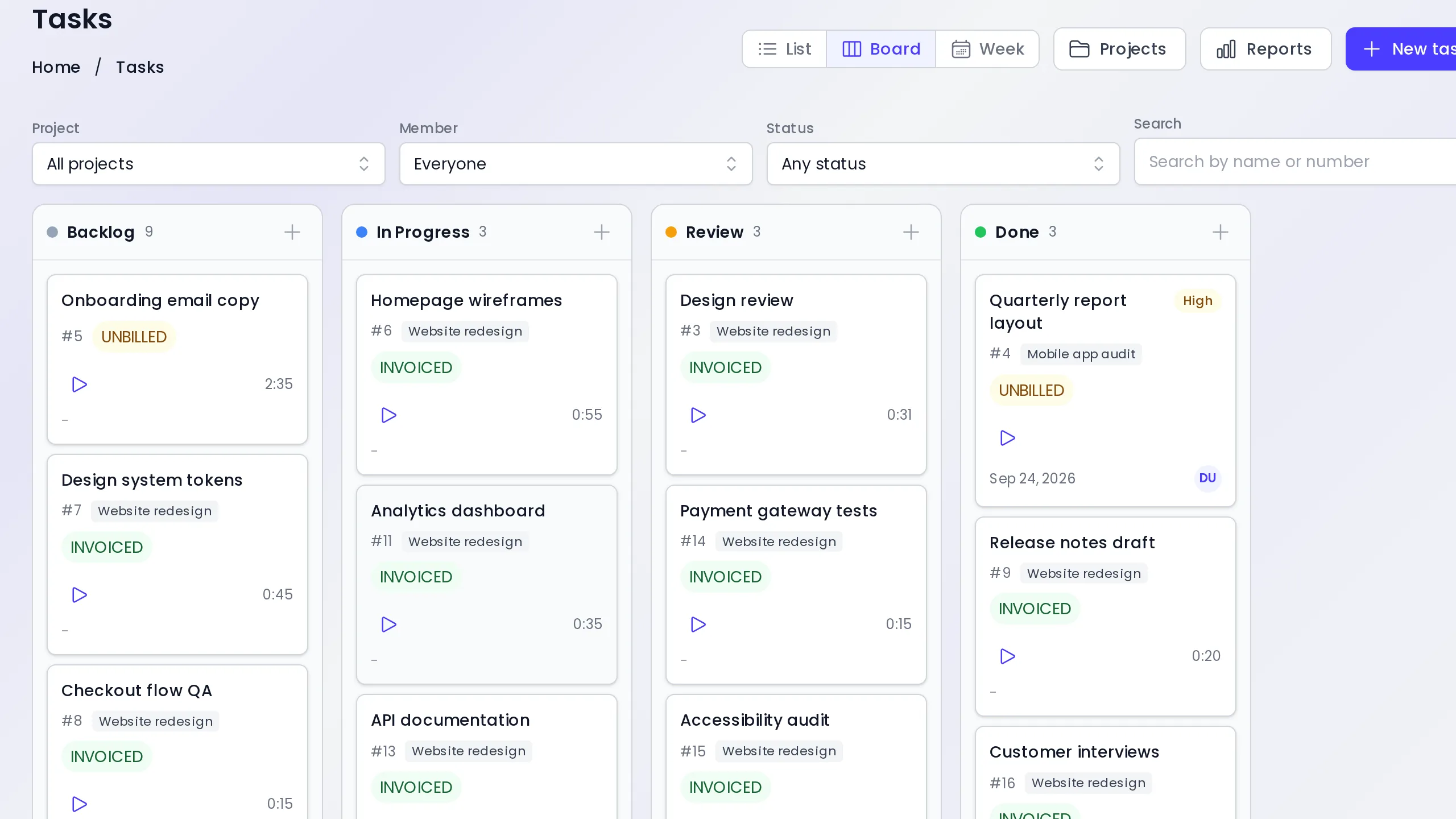
Tasks live on one screen with three views over the same filters: a sortable list, a Kanban board with drag ordering across your own task statuses, and a week timesheet. Every task also has its own page with the full time log underneath it.
Time tracking works from wherever a task appears: its row, its card, its page, or the floating start button that stays reachable on every screen. Only one timer runs per person per company. Stopping asks for a description and whether the time is billable, and rounds the interval the way your settings say.
Rates resolve from the task, then the assignee's project rate, then the project default, then the company default, and are written onto each time entry so a later rate change never rewrites history.
Invoicing starts from a task row, a selection of tasks, a task page, a project header or the unbilled-time overview. The module prepares a draft invoice with one line per task and opens it in InvoiceShelf's own invoice editor, ready to review and send. Invoiced time is locked.
Reports show logged and billed time by project, member and customer.
Requires InvoiceShelf 3.x with module API 1.3 or newer. Free and licensed AGPL-3.0-only.
What you get
- Projects with customer, hourly rate, budget and due date
- One Tasks screen with list, Kanban board and week views
- Start and stop timers from any row, card or page
- A time log per task with billable flag and rounding
- Rates resolved per task, member, project and company
- Draft invoices from tasks, selections or whole projects
See it in action
Install on your own instance
Choose Install module, enter your InvoiceShelf URL, and confirm the installation in your own admin.